OpenAPI Guard
IntelliJ Platform
Install OpenAPI Guard from
JetBrains Marketplace, or from inside the IDE under Settings, Plugins, Marketplace.
The plugin identifier is com.stackblender.openapiguard; the current release is 0.3.0.
It works in IntelliJ IDEA Community and Ultimate, 2024.1 and later. Ultimate’s Spring plugin is not required. OpenAPI 3.x in YAML or JSON is supported; Swagger 2.0 is not.
What it checks
OpenAPI Guard compares a local OpenAPI 3.x document with your Spring MVC controllers in Java and Kotlin and reports three kinds of drift: operations nobody implemented, endpoints the spec does not document, and HTTP methods that disagree. It understands spec-first projects built with openapi-generator, including interface and delegate styles.
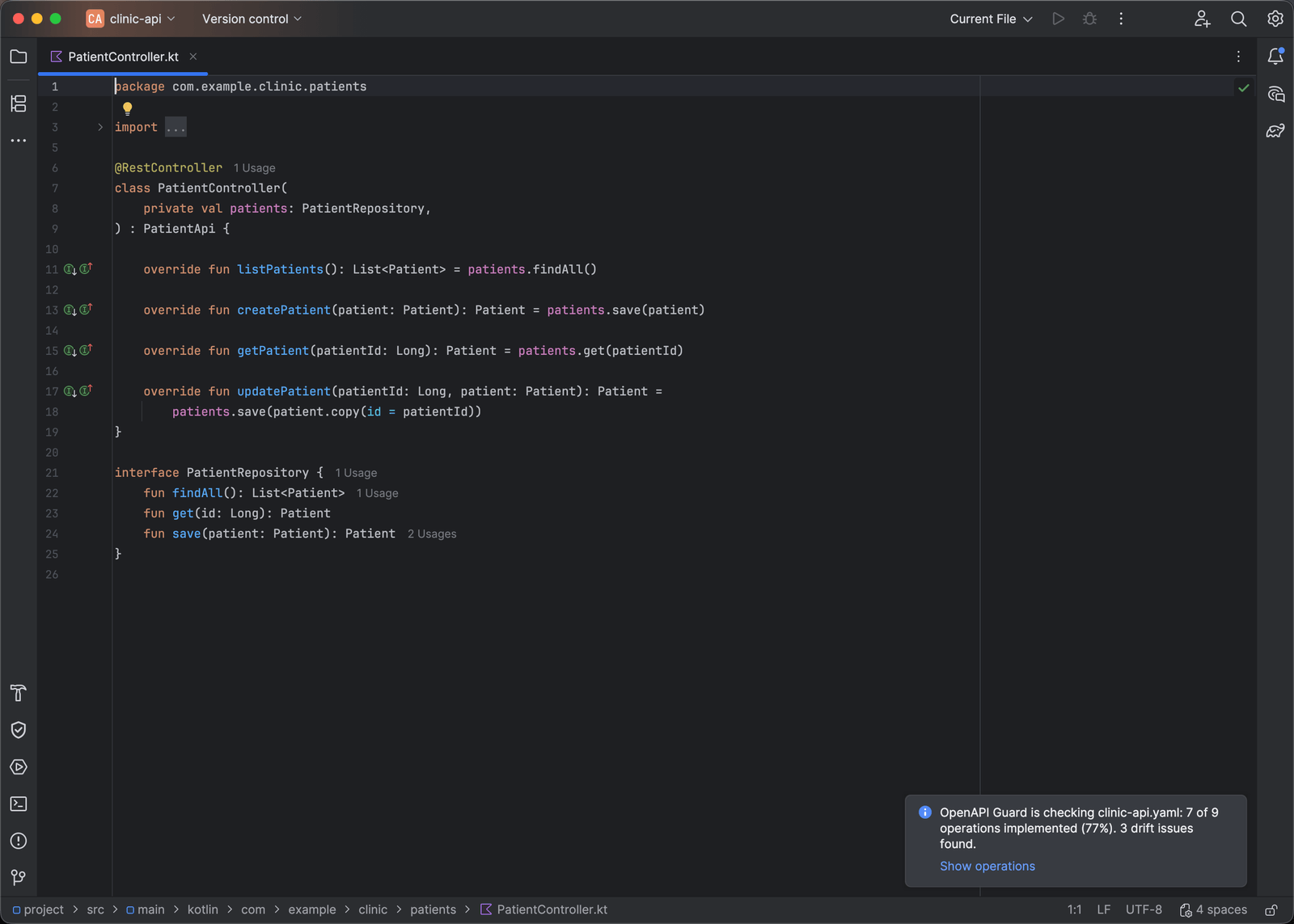
The first time analysis works on a project, a one-time notification shows the coverage summary. If Spring controllers exist but no spec was found, it says how to add one.
Inspections
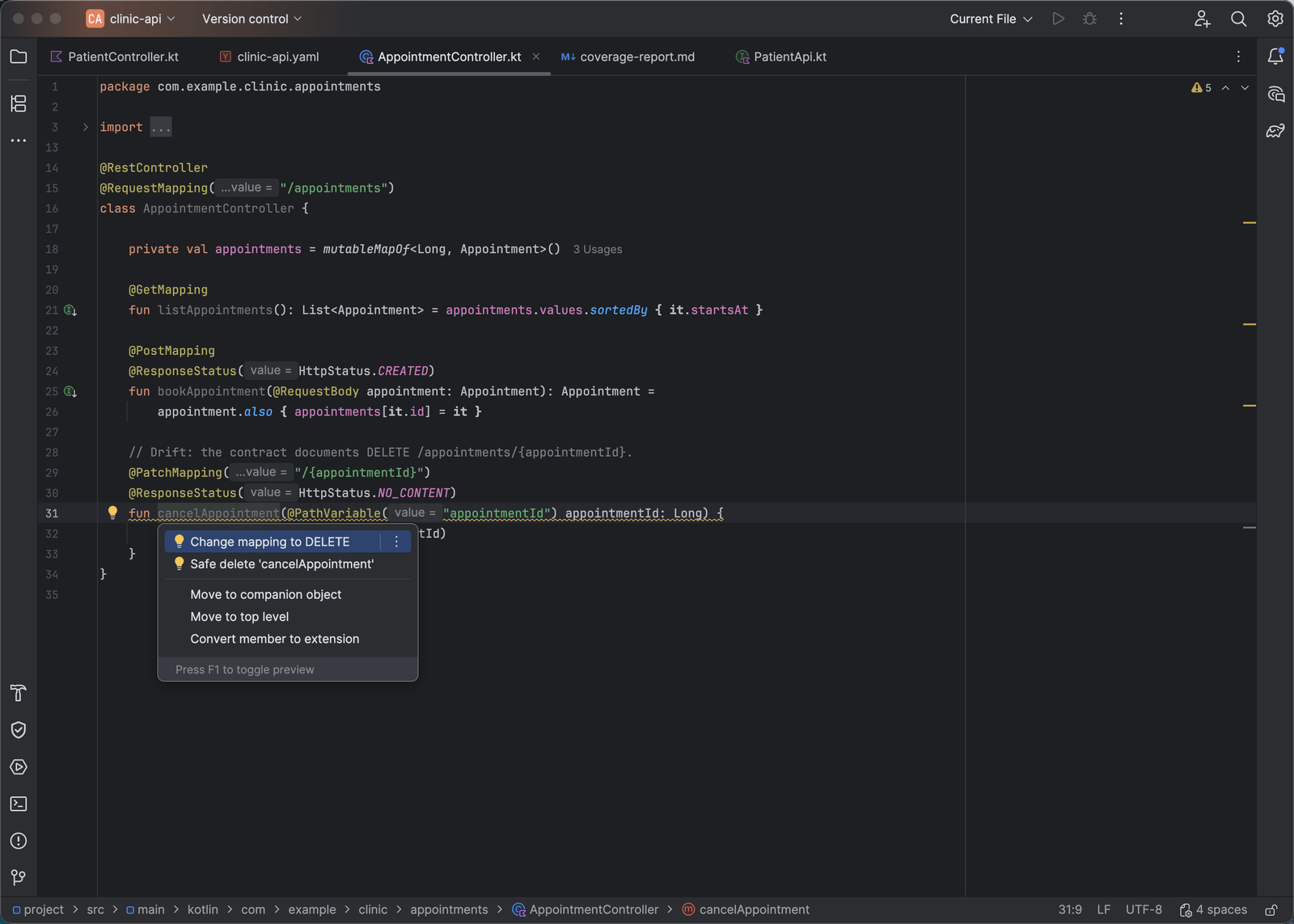
Drift is reported by three standard inspections under Settings, Editor, Inspections, OpenAPI Guard: Spring endpoint not documented in OpenAPI, OpenAPI operation has no Spring implementation, and HTTP method differs between OpenAPI and Spring. Each can be enabled or given its own severity, and they run in Code, Inspect Code.
To mark drift as intentional, use @SuppressWarnings("OpenApi…") in Java or
@Suppress("OpenApi…") in Kotlin on a method or class; springdoc’s @Hidden or
@Operation(hidden = true) marks an endpoint as deliberately undocumented; and
x-openapi-guard-ignore: true on an operation, a path item, or the spec root exempts
those operations from missing-implementation checks.
Quick fixes
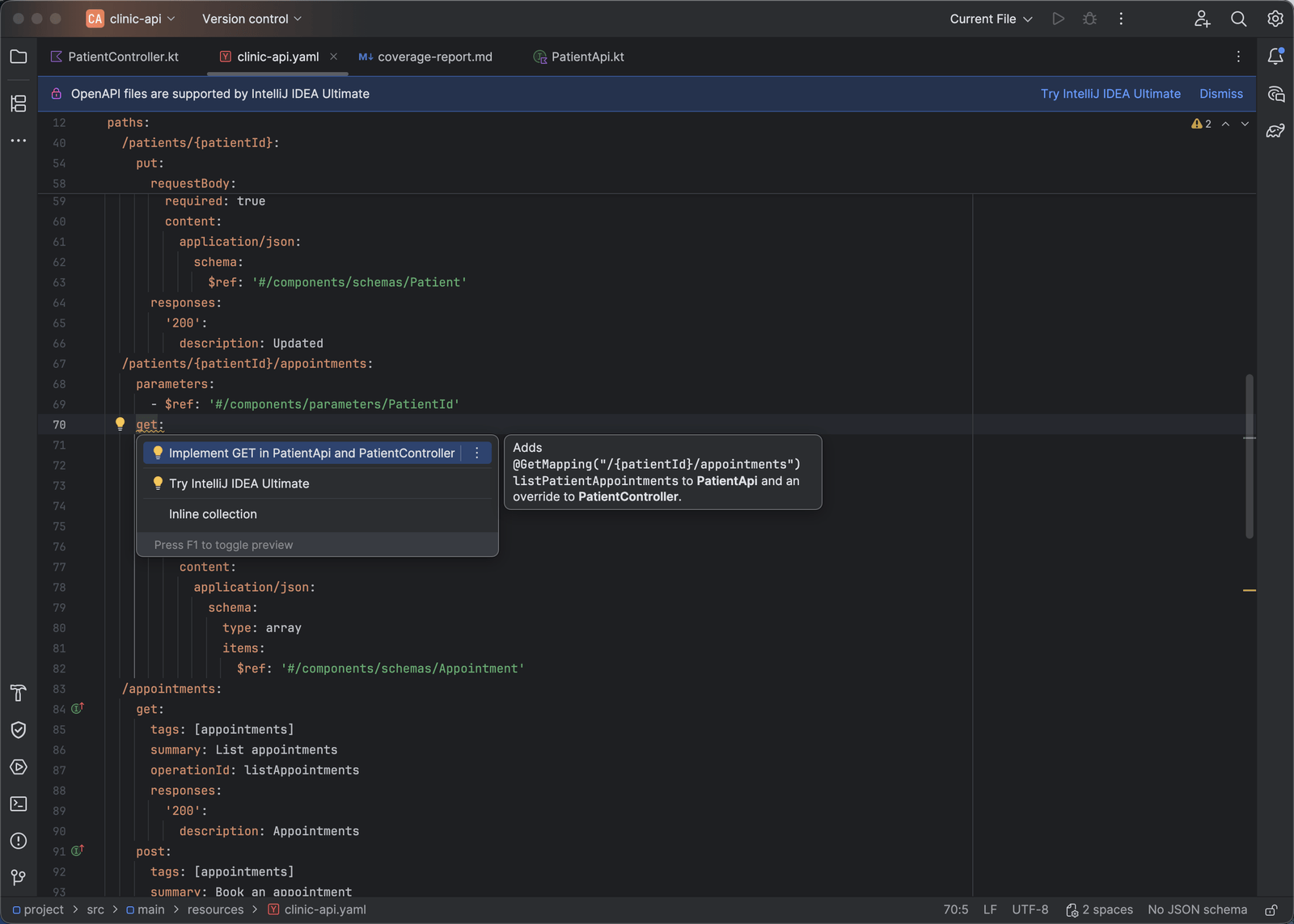
Press Alt+Enter on a reported line:
- Add operation to OpenAPI spec, on an undocumented endpoint, inserts a YAML stub
with the path, an
operationIdfrom the handler name, path parameters, and a200response, matching the spec’s indentation. The preview shows the spec diff. - Implement in Spring controller, on a missing operation, adds a mapped handler stub to the controller whose base path best matches, in Java or Kotlin, with imports. When the controller inherits its mappings from a hand-written API interface or base class, the declaration is added there and the controller gets an override stub.
- Change mapping to X or Change operation to X, on a method mismatch, aligns the HTTP method on whichever side you choose.
Fixes are not offered where the mapping lives in generated code, such as an openapi-generator interface: regenerate, then implement the new method.
Operations tool window
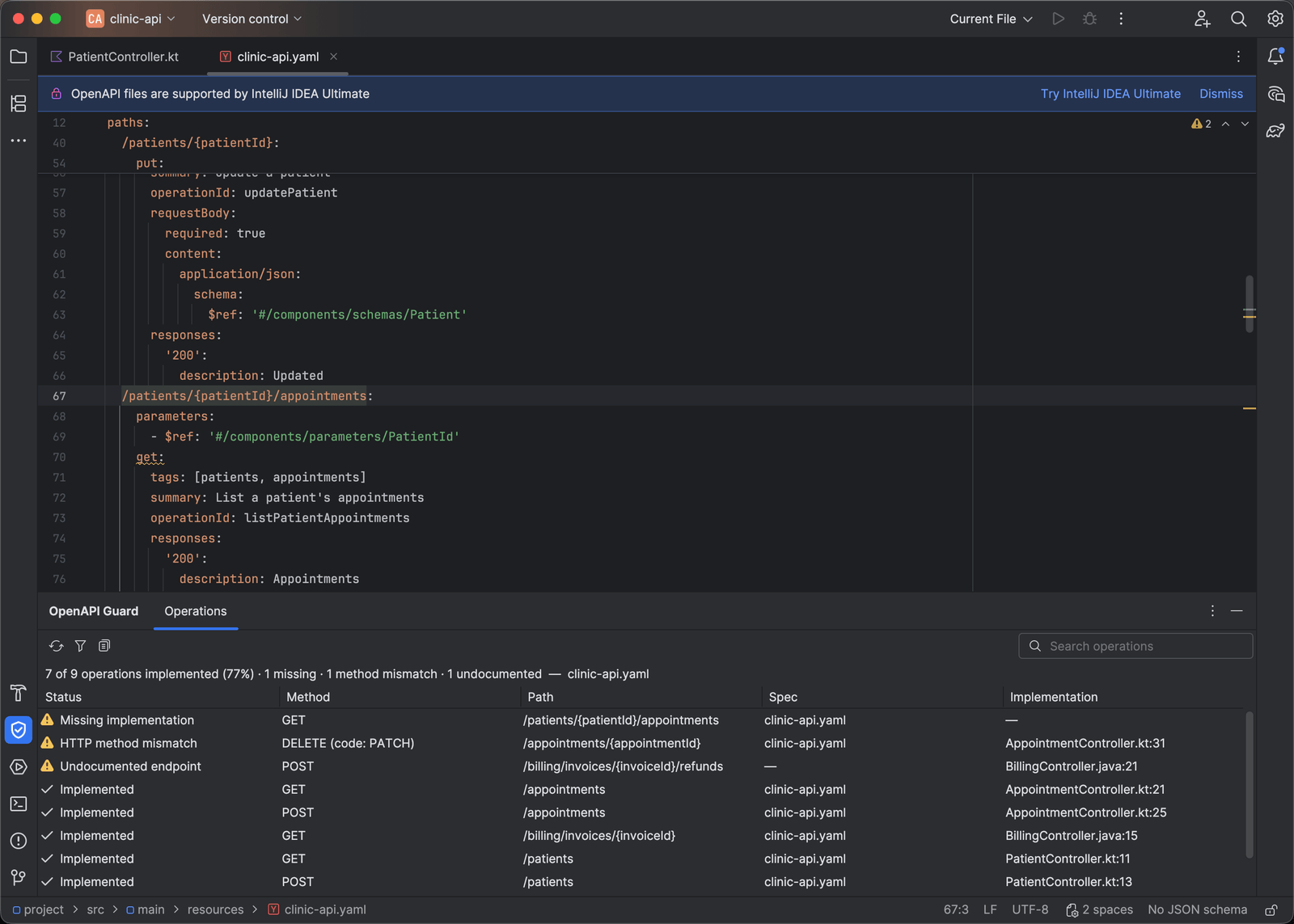
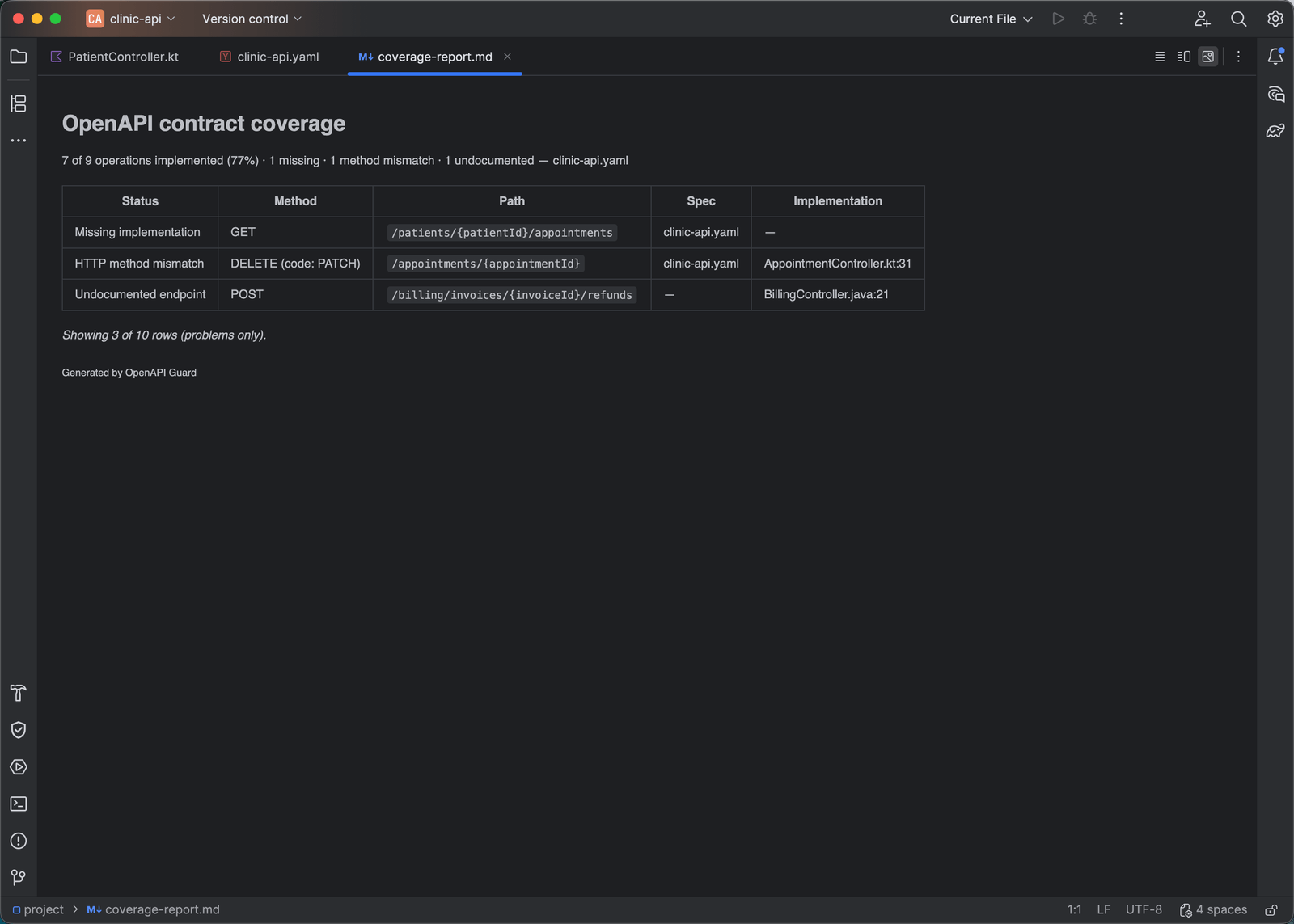
The OpenAPI Guard tool window lists every operation with its status: implemented, missing, method mismatch, ignored, or could not verify, plus undocumented endpoints. The summary line reads, for example, “7 of 9 operations implemented (77%) · 1 missing · 1 method mismatch · 1 undocumented”.
- The search field filters rows on any column, and combines with Show Problems Only.
- Double-click the Spec or Implementation cell to open that side. Enter or a double-click elsewhere opens the implementation, or the spec when there is none. Right-click a row for Go to Implementation and Go to Spec.
- The window refreshes in the background after edits and as soon as settings change.
Copy as Markdown on the toolbar copies the summary and the rows currently shown as a Markdown table, honoring the search and the problems-only filter and noting any active filter, ready for a pull request, an issue, or a review. Copy Selected as Markdown in the row menu copies just the selected rows.
Path completion
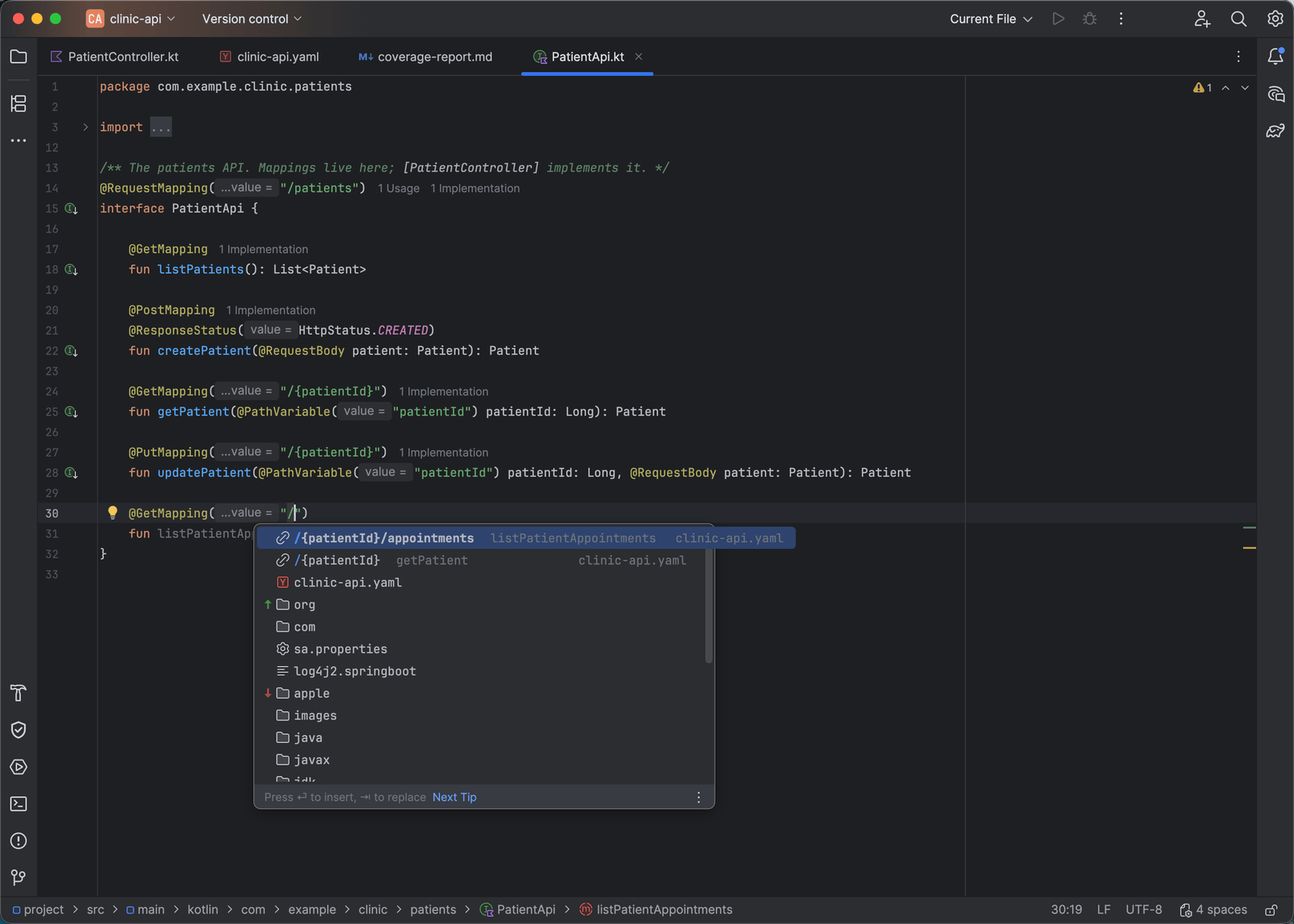
Inside @GetMapping("…"), @RequestMapping("…"), and the other mapping annotations, in
Java and Kotlin, completion offers paths from the spec relative to the controller’s base
path and filtered to the annotation’s HTTP method. Operations that have no implementation
yet are listed first, in bold. A class-level @RequestMapping offers resource paths.
Navigation
Gutter icons and Go to Declaration (Ctrl+B or Ctrl+click; ⌘B or ⌘+click on macOS) work in both directions between a Spring mapping and its OpenAPI operation.
Specs and settings
Specs are found by content: any YAML or JSON file whose root has an openapi: 3.x key,
whatever its name. Test sources, node_modules, and generated output are ignored. A
project can have several specs; each is checked against its own module and the modules
that depend on it, and modules without a spec produce no warnings.
Settings, Tools, OpenAPI Guard lets you list explicit spec paths, one per line, which
replace automatic discovery, and turn contract analysis off altogether. Changes apply
immediately. A configured path that does not exist, or a spec that cannot be analyzed
(for example one with a remote $ref, or a Swagger 2.0 document), is reported on the
spec itself and in the tool window.
Privacy
Analysis runs entirely on your machine. The plugin never uploads source code, specifications, or diagnostics, and needs no account or network access.
What’s new in 0.3.0
- Copy as Markdown and Copy Selected as Markdown in the Operations tool window.
- The tool window refreshes as soon as OpenAPI Guard settings change.
- The first-run summary waits for the Gradle or Maven import to finish, so a freshly opened project is no longer reported as having no implementations.
- Path completion keeps unimplemented operations first when IntelliJ’s ML-assisted completion is on.
The full history is in the plugin’s change notes on JetBrains Marketplace.
Report problems through the support repository and select the IntelliJ Platform plugin.